
Sampler Example#
Samplers are used to split the dataset into small parts. This is useful when files are too large to fit into memory. In this example, we will use the RowSampler to split the dataset into small parts in row-wise order.
from pathlib import Path

import rasterio
from rasterio import plot

from faninsar import datasets, query, samplers
home_dir = Path("/Volumes/Data/GeoData/YNG/Sentinel1/Hyp3/descending_roi/across_year")
files = list(home_dir.rglob("*.tif"))
roi = query.BoundingBox(98.86577623, 38.78569282, 98.91011003, 38.83976813, crs=4326)

ds = datasets.RasterDataset(paths=files[:3])
# get the profile of the dataset
profile = ds.get_profile(roi)
Init the sampler with the dataset, roi, and batch size. Then you can iterate over the sampler to get the BoundingBoxes, which are the subset of the dataset.
sampler = samplers.RowSampler(ds, roi, row_num=10)
Following is a simple example of how to use the sampler to get the bounding boxes of the dataset.
new_tile = "/Volumes/Data/GeoData/YNG/temp/test.tif"
for bbox in sampler:
    smp = ds[bbox] # get the data for the bbox region
    arr = smp.boxes.data.squeeze(0).mean(axis=0) # process the data
    ds.array2tiff(arr, new_tile, bbox) # save the new data

with rasterio.open(new_tile) as src:
    plot.show(src)
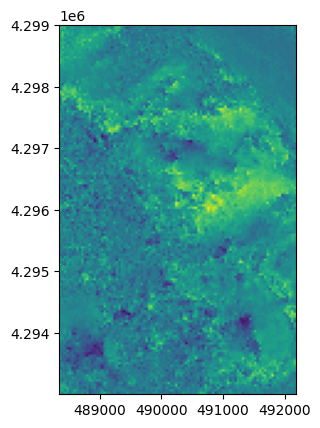
Following code shows the case that only first 7 bounding boxes are written into file.
for i, bbox in enumerate(sampler):
    smp = ds[bbox]
    arr = smp.boxes.data.squeeze(0).mean(axis=0)
    ds.array2tiff(arr, new_tile, bbox)
    if i > 6:
        break

with rasterio.open(new_tile) as src:
    plot.show(src)
